
 Menübulut: QR menu and waiter call system for cafés and restaurants
Your menu on the table, your prices always up to date.
A QR code digital menu for cafés, restaurants, patisseries and bars. Enter your products with photos, allergens and portion options; guests scan the QR code on the table, see your menu in Turkish or English and call the waiter if they wish.
What it
does
Everything you do every day with Menübulut, in one place.
QR code menu
A fast, phone-friendly menu at menu.sophiras.com/yourbusiness; no app download needed.
Photos and allergens
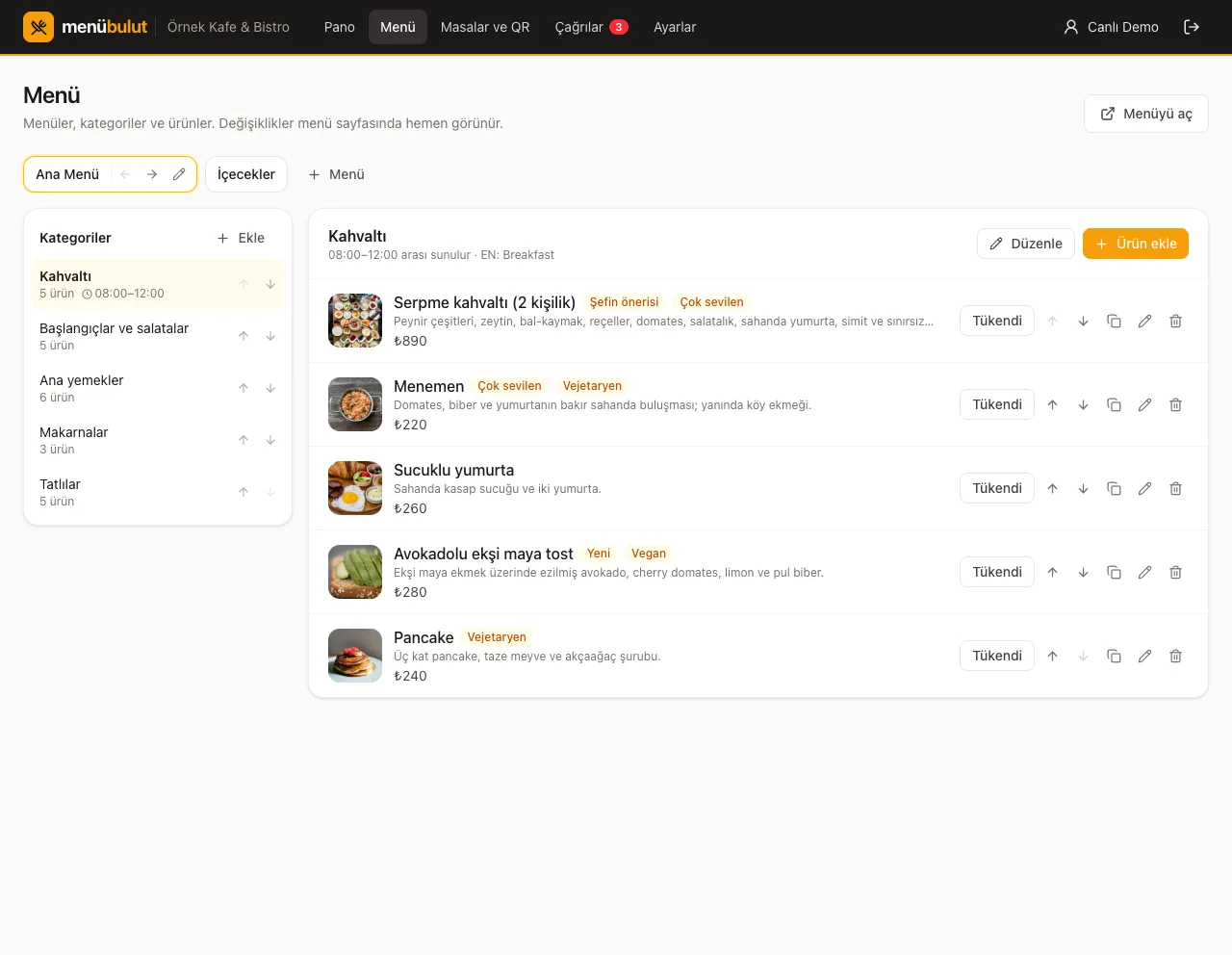
Photos, descriptions, the 14 allergen groups, vegan / vegetarian / spicy labels and portion options for every product.
Instant updates
Change a price or mark an item ‘sold out’; the menu updates immediately, with no reprinting.
A QR code per table
A separate code for every table; table cards printable 6 to an A4 sheet, and a poster for the door.
Call the waiter
Guests call the waiter or ask for the bill from their table; calls are listed live in the panel with a sound alert.
Turkish and English
Tourists see the menu in English; use statistics to follow your most viewed products.
How it
works
Get started in three steps; we're with you throughout setup.
- 1
Enter your menu
Add categories and products with photos; choose your logo, cover image and colour.
- 2
Print the table cards
Set up your tables, print the QR cards and place them on the tables.
- 3
Let guests scan
The menu opens on their phone; calls arrive in your panel.
Common
questions
The most common questions about Menübulut. For anything else, see all questions.
How much does Menübulut cost?
Plans are paid in one annual payment: Starter ₺990, Business ₺1,990, Pro ₺3,490 (per year, excl. VAT). The price of the Orders and Kitchen add-on is set by quote for your business.
Do guests need to download an app?
No. Guests scan the QR code on the table with their phone camera and the menu opens in the browser.
How does calling the waiter work?
Guests call the waiter or ask for the bill from the menu; the call appears in the panel with the table name and a sound alert. Rules such as opening hours, waiting time, an hourly limit and the table being opened by staff keep fake calls in check.
Can we take orders at the table?
Yes, with the Orders and Kitchen add-on. The waiter takes the order from the panel or a phone and it goes straight to the kitchen display; if you wish, guests can also order from the menu. No payment is taken; closing the bill is kept as a record.